

標題 : How to pair Bluetooth devices on an Android phone
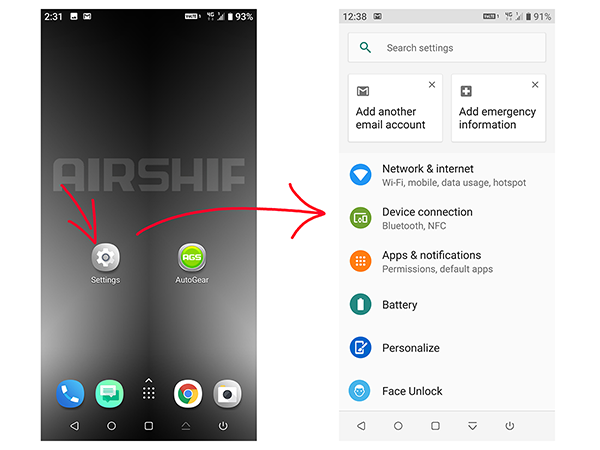
Device pairing with phone:
The phone needs to be paired with the rear derailleur before connecting. The default device name is AutoGear and the default pairing password is 1234. After pairing, it can be found in the BTLIST menu in the AGS APP.
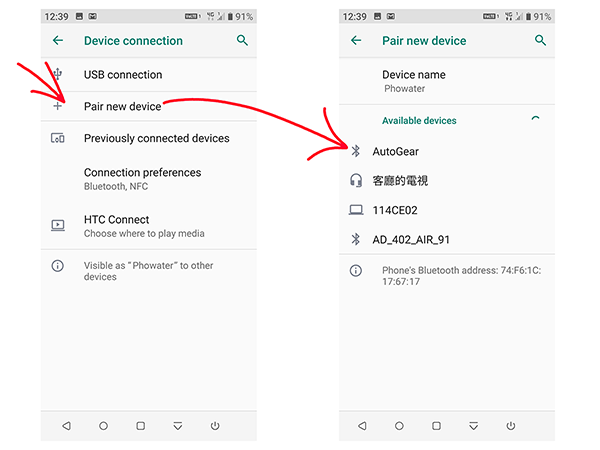
Pair new device:
Search for Available New Devices
Available device:
Select Autogear Device from Available Devices
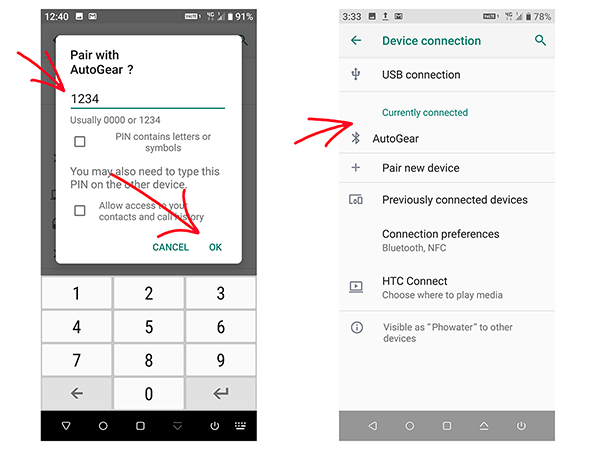
Pair with AutoGear ?
The default pairing password is 1234,
Enter the code 1234, select OK to confirm, and exit the phone settings screen.
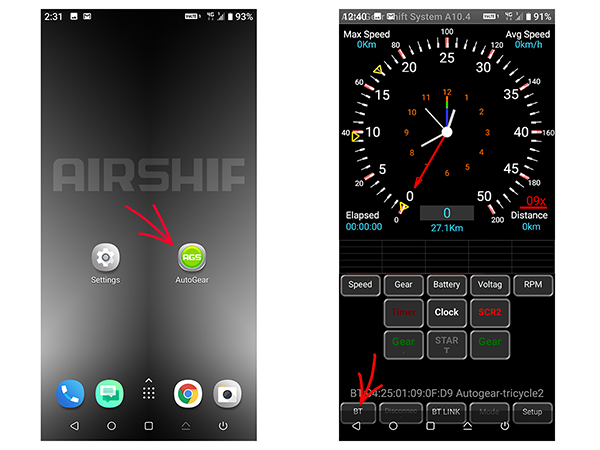
Click the Autogear app:
Open the rear derailleur setup app.
Click the BTLIST button:
Open the menu for the paired Autogear rear derailleur .
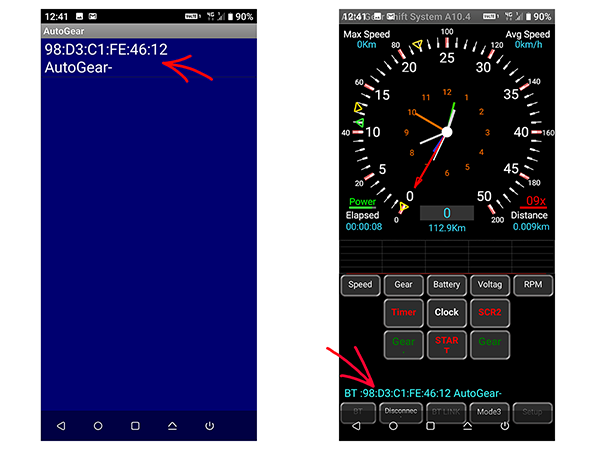
Select the Autogear device:
Select the Autogear rear derailleur to be set up.
The phone software version is Android 9.