

標題 : How to adjust the rear derailleur
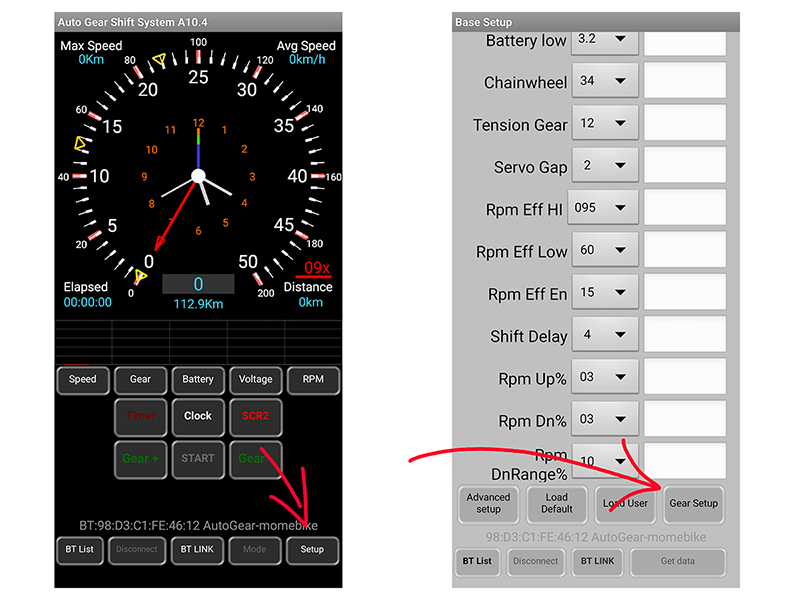
GEAR SETUP Function:
On the AGS main screen, press the SETUP button to enter basic settings.
From the basic settings screen, press the GEAR SETUP button to enter GEAR SETUP settings.
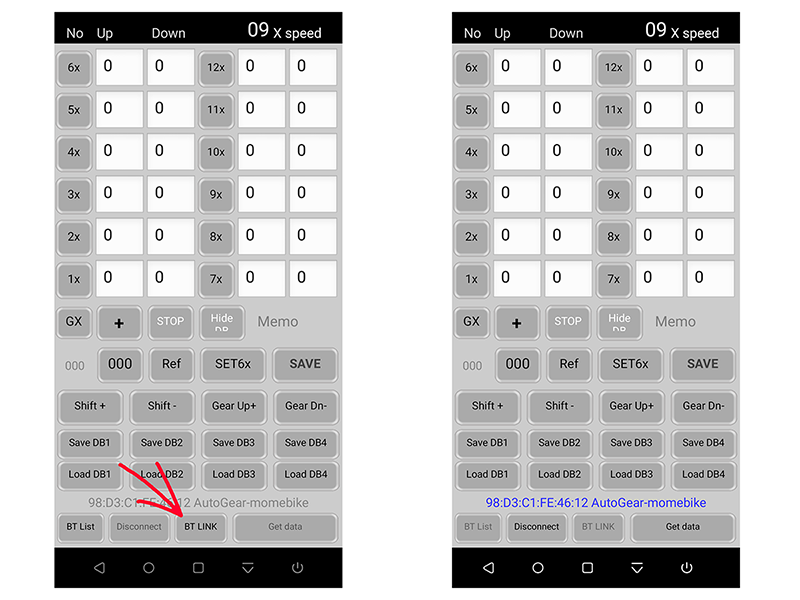
BTLINK:
On the GEAR SETUP screen, press BTLINK to connect a previously connected device.
BTLIST:
Select Autogear Device from Available Devices
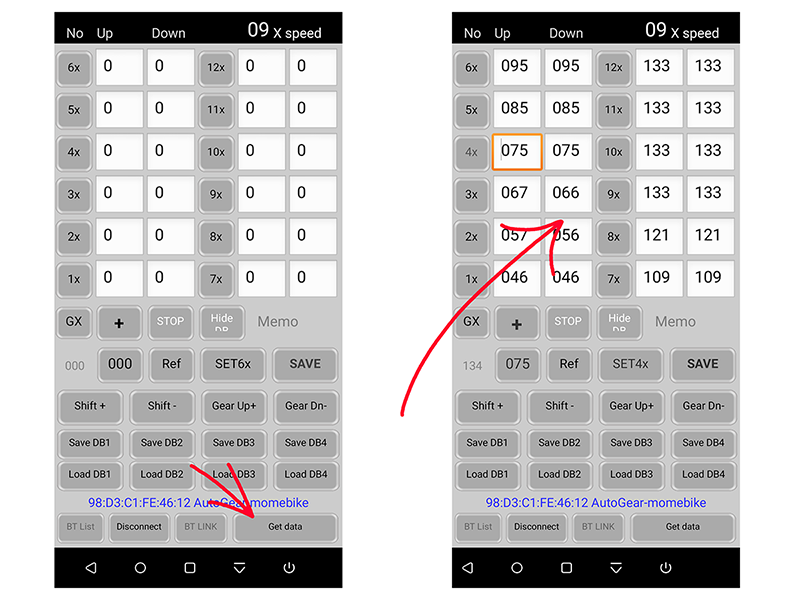
Get Derailleur Gear Information:
After connecting the derailleur device, press GET DATA to obtain the derailleur gear information.
An orange box will appear on the screen, showing the approximate position of the current gear.
If the gear is not first gear: goto SETUP 2
If the gear is in first gear: goto SETUP 1
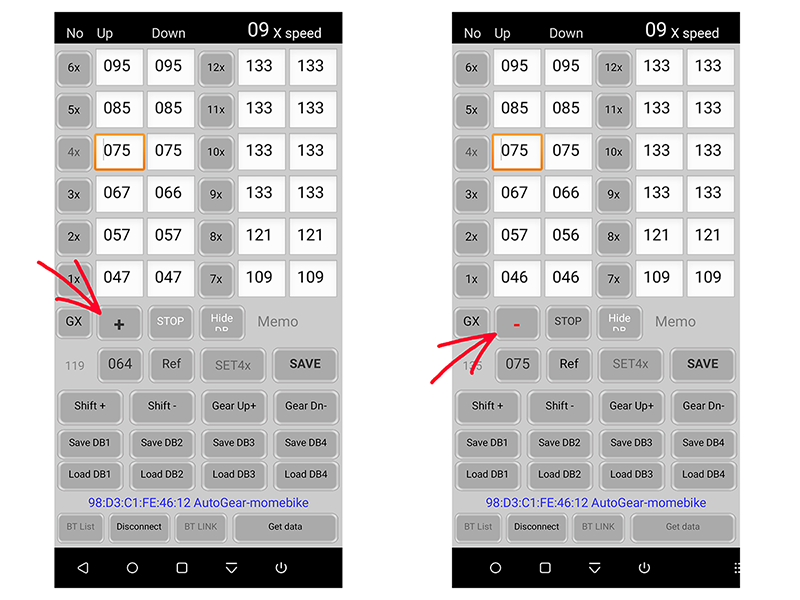
SETUP 2:
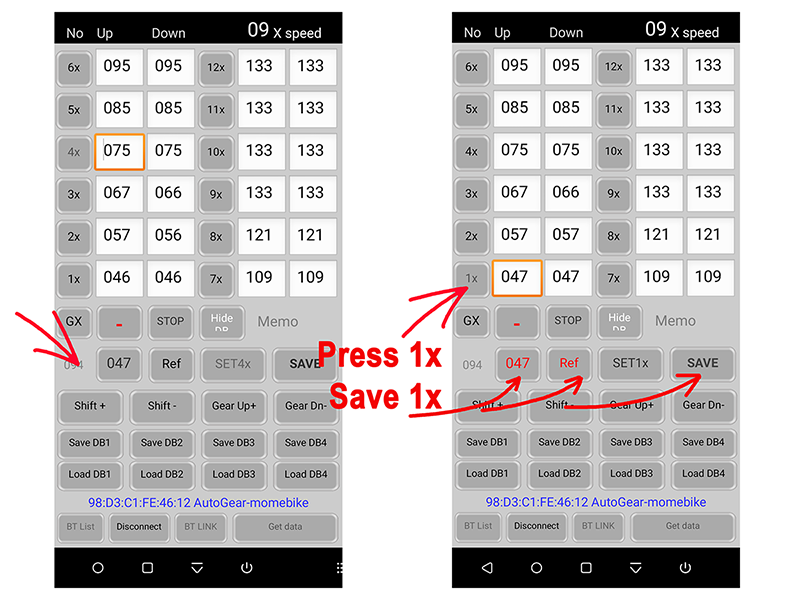
If the gear is not first gear, press the +/- buttons to switch to the - button.
SETUP 2a:
Turn the chainring to move the derailleur to first gear. Press the first gear icon (press 1x). The save position will move to first gear. Save the first gear position (save 1x). After saving, the orange box will move to second gear (2x).
Turn the chainring again to move the derailleur to second gear, save the second gear position . After saving, the orange box will move to the third gear icon, and so on until the last gear.
goto Last gear setting
SETUP 1:
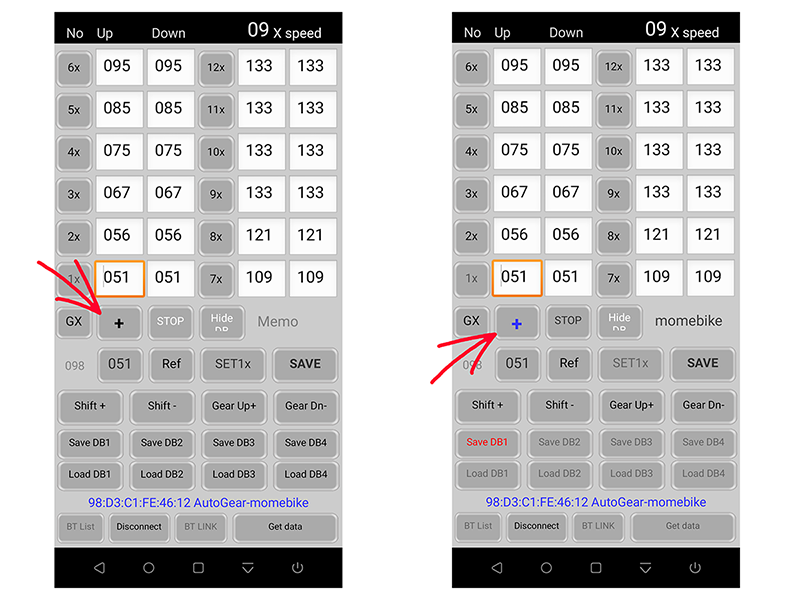
If the gear is in first gear, press the +/- button to switch to the + button.
SETUP 1a:
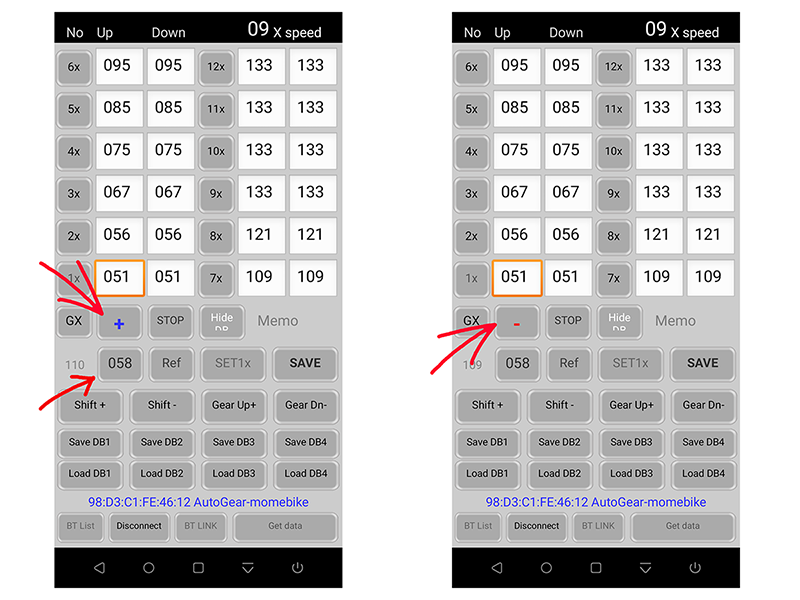
Turn the chainring to move the derailleur to second gear, then press the +/- button to switch to the - button.
SETUP 1b:
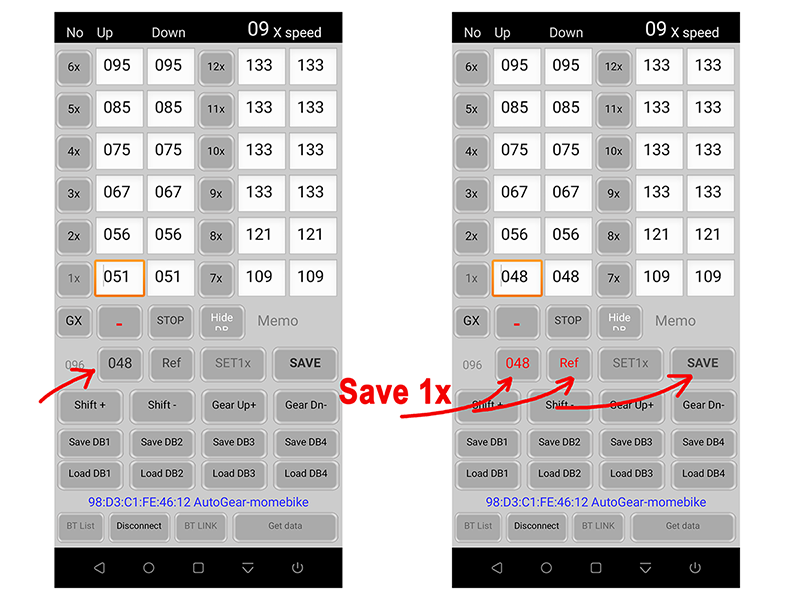
Turn the chainring again to move the derailleur back to first gear and save the first gear position
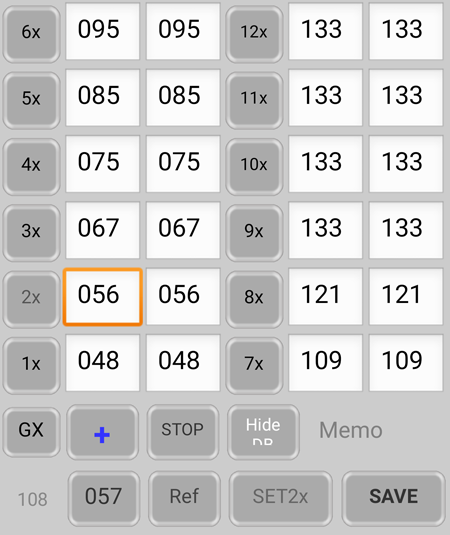
(save 1x). After saving, the orange box will move to the second gear icon(2x) .
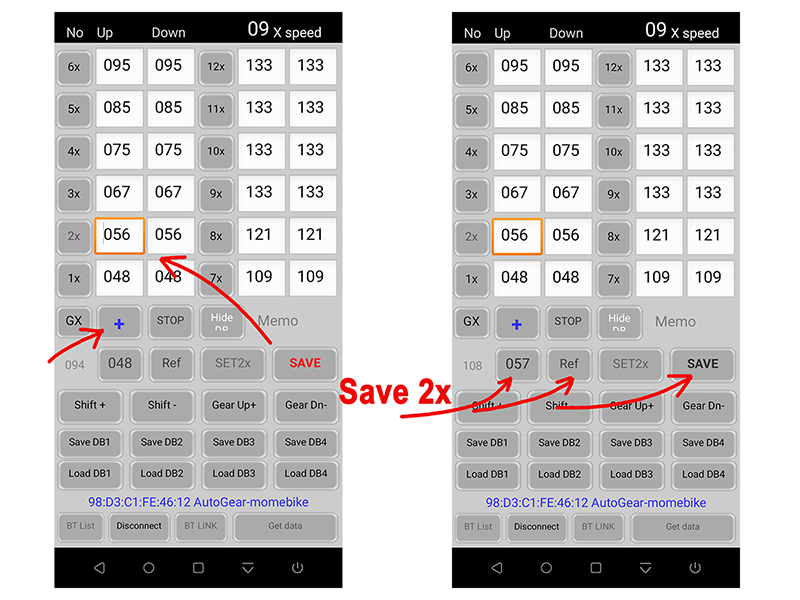
SETUP 1c:
Turn the chainring again to move the derailleur to second gear and save the second gear position . After saving, the orange box will move to the third gear icon(3x) , and so on until the last gear.
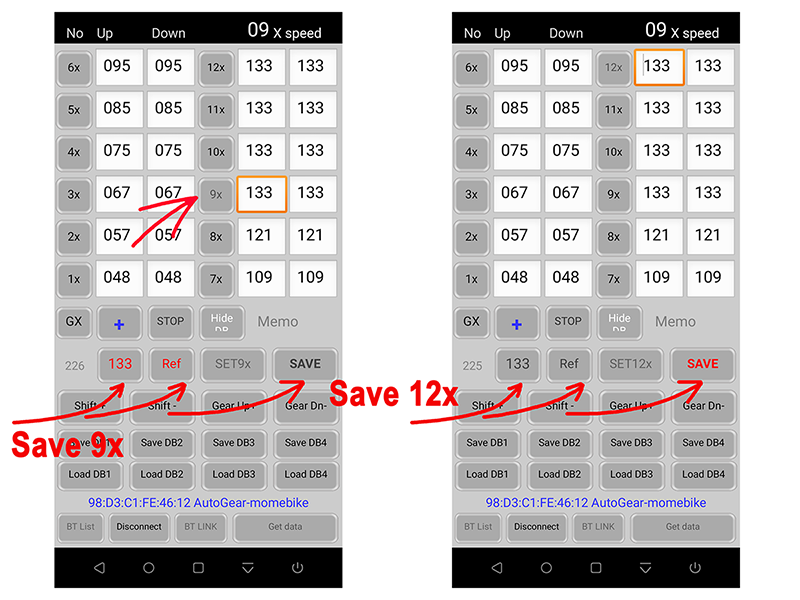
Last gear setting:
Set all gear information after the last gear to be the same.